

Purpose
Every month, the Organization performs statutory and financial reporting activities:
- Reporting outward supplies in statutory returns (e.g., GSTR)
- Recording corresponding tax liability in the General Ledger (GL)
To ensure accuracy and compliance, both records must match. Any mismatch can result in:
- Incorrect tax liability
- Interest and penalties
- Audit observations
- Compliance risks
This reconciliation acts as a key financial and compliance control mechanism to prevent such risks.
(GL + Return Data)
Standardization &
Consolidation
Comparison
Root Cause
Identification
& Reporting
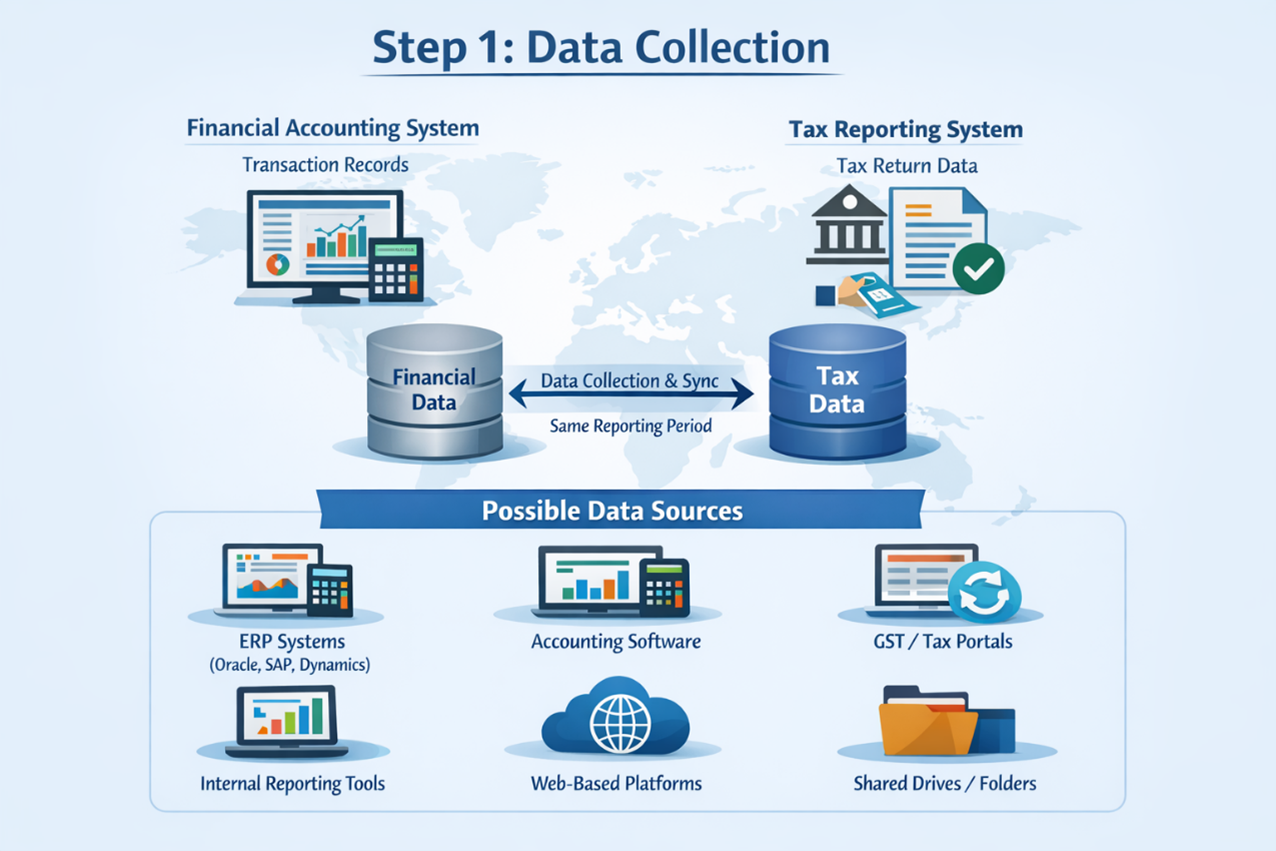
Step 1: Data Collection
Objective:
- Collect/Download required data from:
- Financial accounting systems (where transactions are recorded)
- Tax reporting systems or statutory portals (where returns are filed)
- Ensure both datasets are available for reconciliation and relate to the same reporting period.
Types of Systems Involved for Data Collection:
- Primary Financial System
(Where transactions are recorded in books of accounts) - Reporting / Regulatory System
(Where statutory, compliance, or operational reporting is performed)
Possible Data Sources (Organization Dependent):
- ERP systems (Oracle, SAP, Microsoft Dynamics, etc.)
- Accounting software
- Internal reporting tools
- GST / Tax authority portals
- Web-based platforms
- Shared drives or folders
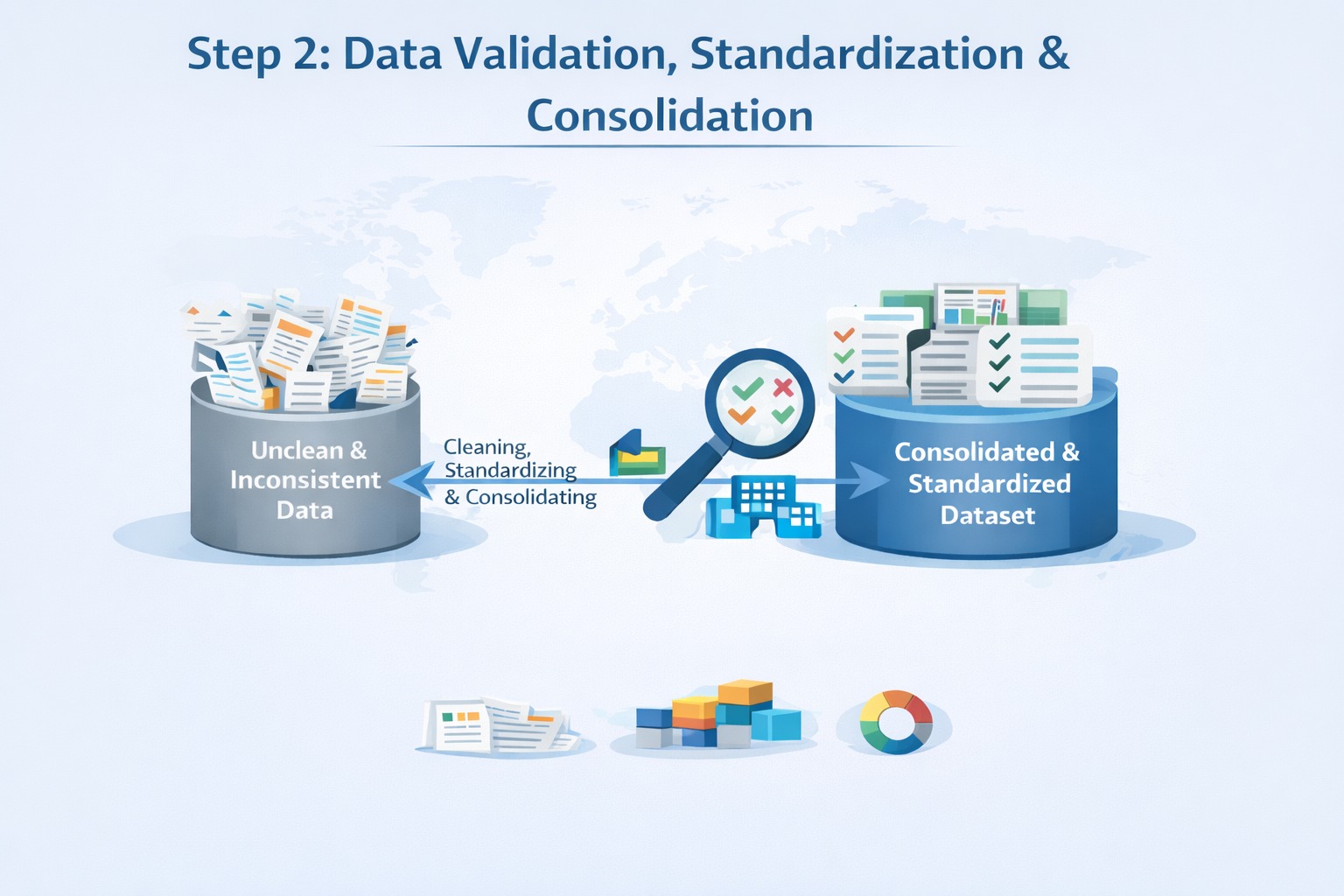
Step 2: Data Validation, Standardization & Consolidation
Objective
- Ensure data is accurate, complete, and consistent before comparison.
- Remove incomplete, duplicate, or irrelevant records.
- Consolidate data from multiple sources into a unified dataset.
- Merging multiple entity reports at PAN or group level.
- Standardize formats (Finalize document numbers, date formats, Summation of tax values, reference IDs).
Activities May Include
- Cleaning incorrect or incomplete entries
- Consolidate multiple GL accounts data into single structured dataset.
(Multiple GL accounts, B2B, B2C, Exports, advances)
- Categorize data into specific groups (Freight, Non-Freight, Revenue)
- Converting values where required (e.g., credit entries as negative)
- Segregating exceptions such as:
- Same month cancellations
- Ineligible transactions
- Prior Period items
- Replacement cases
- Zero Tax transactions
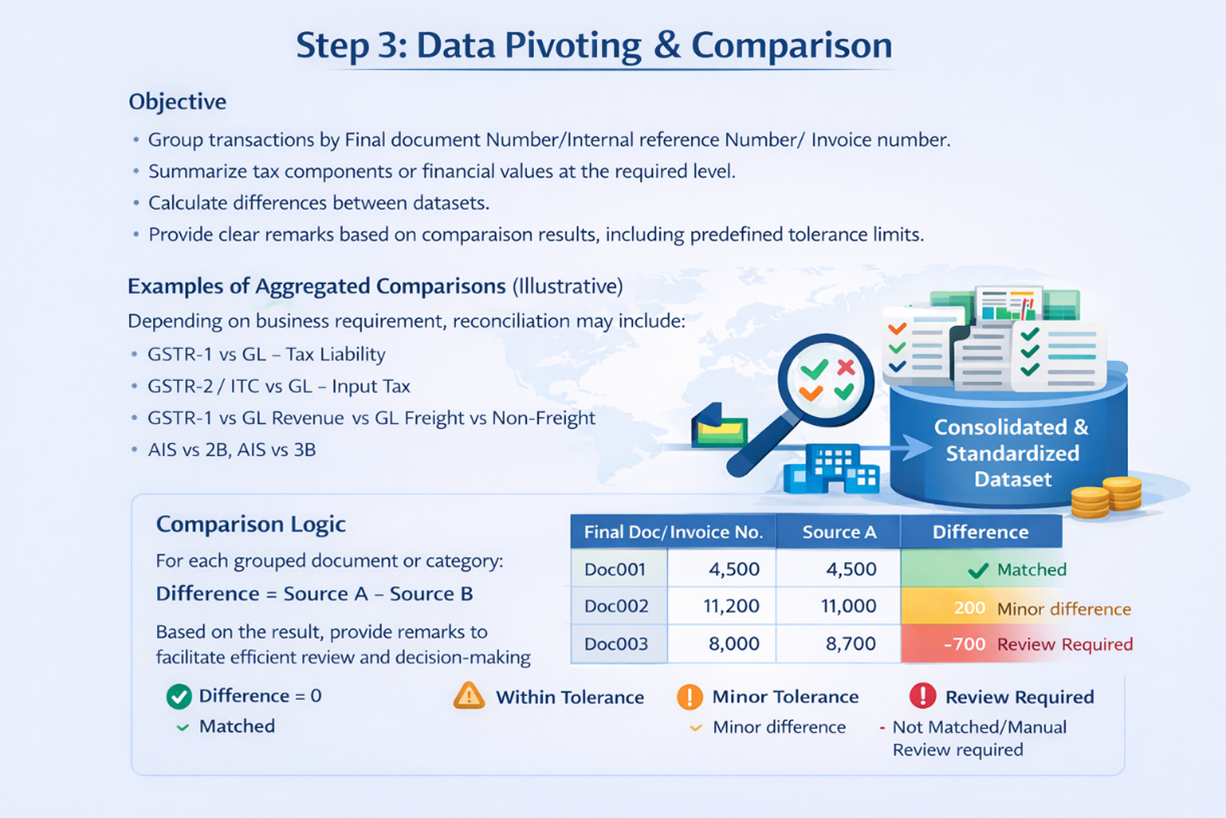
Step 3: Data Pivoting & Comparison
Objective
- Group transactions by Final document Number/Internal reference Number/ Invoice number.
- Summarize tax components or financial values at the required level.
- Calculate differences between datasets.
- Provide clear remarks based on comparison results, including predefined tolerance limits.
Examples of Aggregated Comparisons (Illustrative)
Depending on business requirement, reconciliation may include:
- GSTR-1 vs GL – Tax Liability
- GSTR-2 / ITC vs GL – Input Tax
- GSTR-1 vs GL Revenue vs GL Freight vs Non-Freight
- AIS vs 2B, AIS vs 3B
Comparison Logic
For each grouped document or category:
Difference = Source A – Source B
Based on the result, provide remarks to facilitate efficient review and decision-making
- Difference = 0 – Matched
- Within Tolerance – Minor difference
- Exceeds Tolerance – Not Matched/Manual Review required
Step 4: Exception Analysis & Root Cause Identification
Objective
- Analyze all “Not Matched” cases.
- Identify the reason for variance using business rules provided.
- Update remarks with meaningful, business-friendly explanations.
- Enable corrective action by relevant stakeholders.
Common Categories of Exception can be as below:
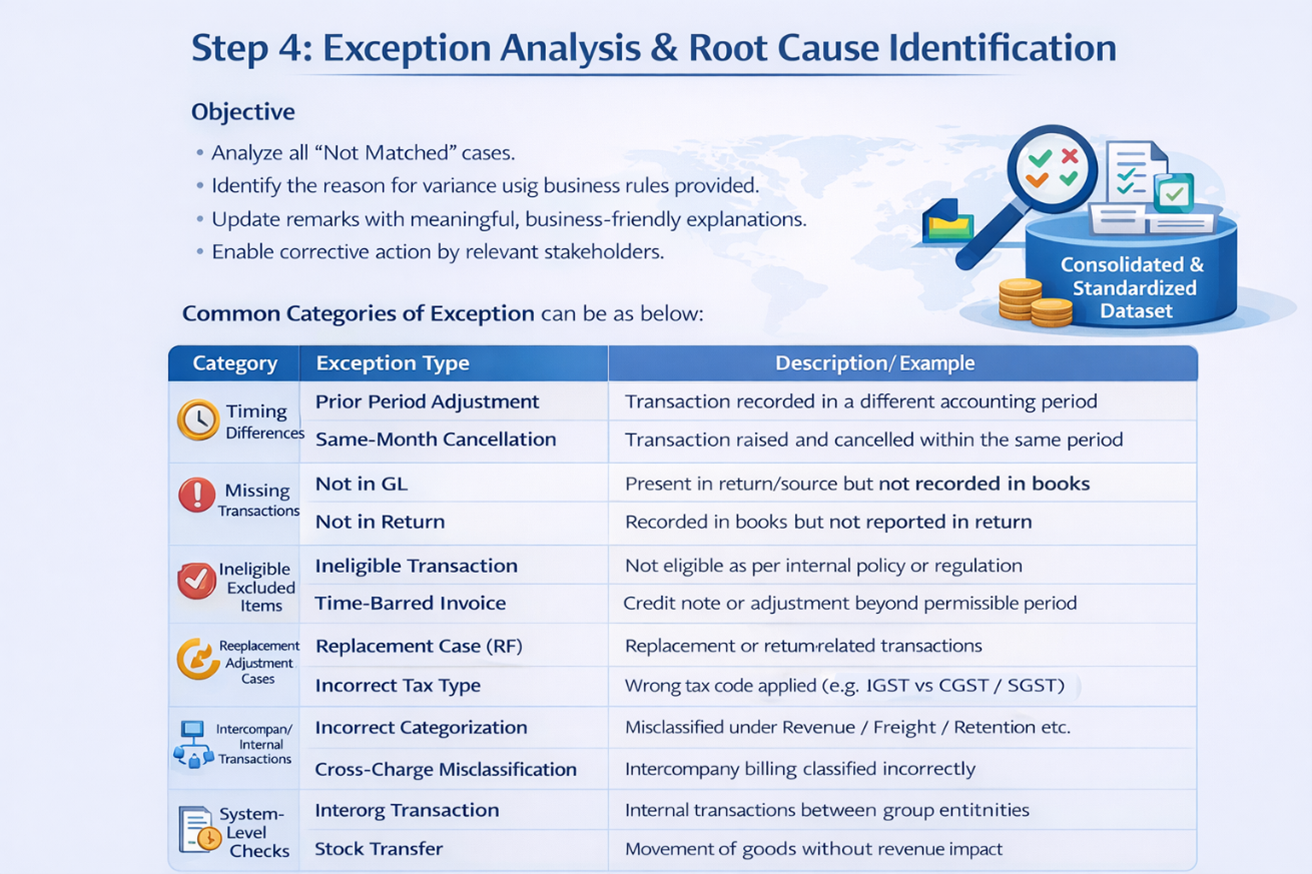
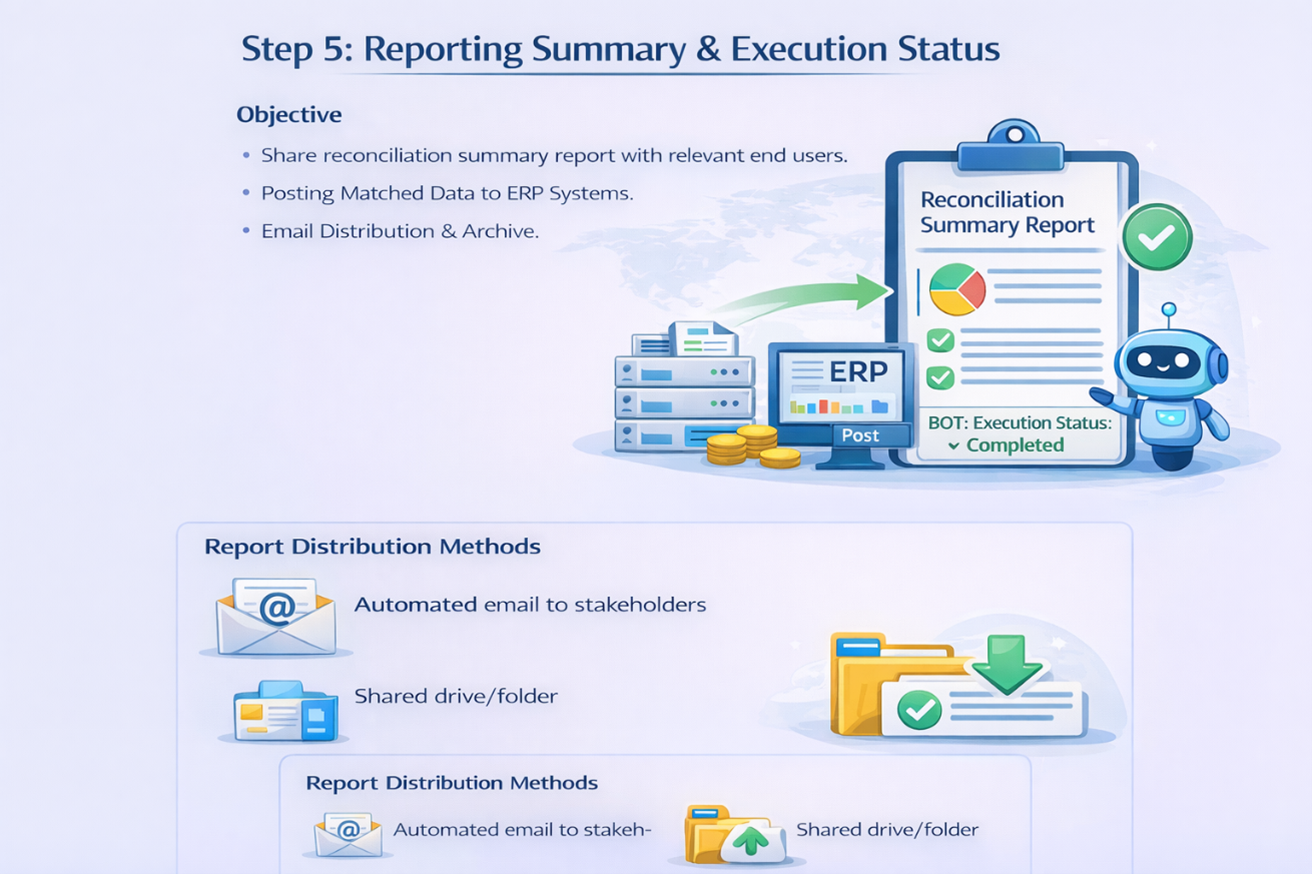
Step 5: Reporting Summary & Execution Status
- Share reconciliation summary report with relevant end users.
- Posting Matched Data to ERP Systems.
- Email Distribution & Archive.
- Report Distribution Methods
- Automated email to stakeholders
- Shared drive/folder